Best AI Model to Use for Each Product Team Task (2026 Guide)
Which AI model product managers, designers and researchers should use for twelve everyday tasks, when a cheaper model will do the job, and why staying model-agnostic pays off.
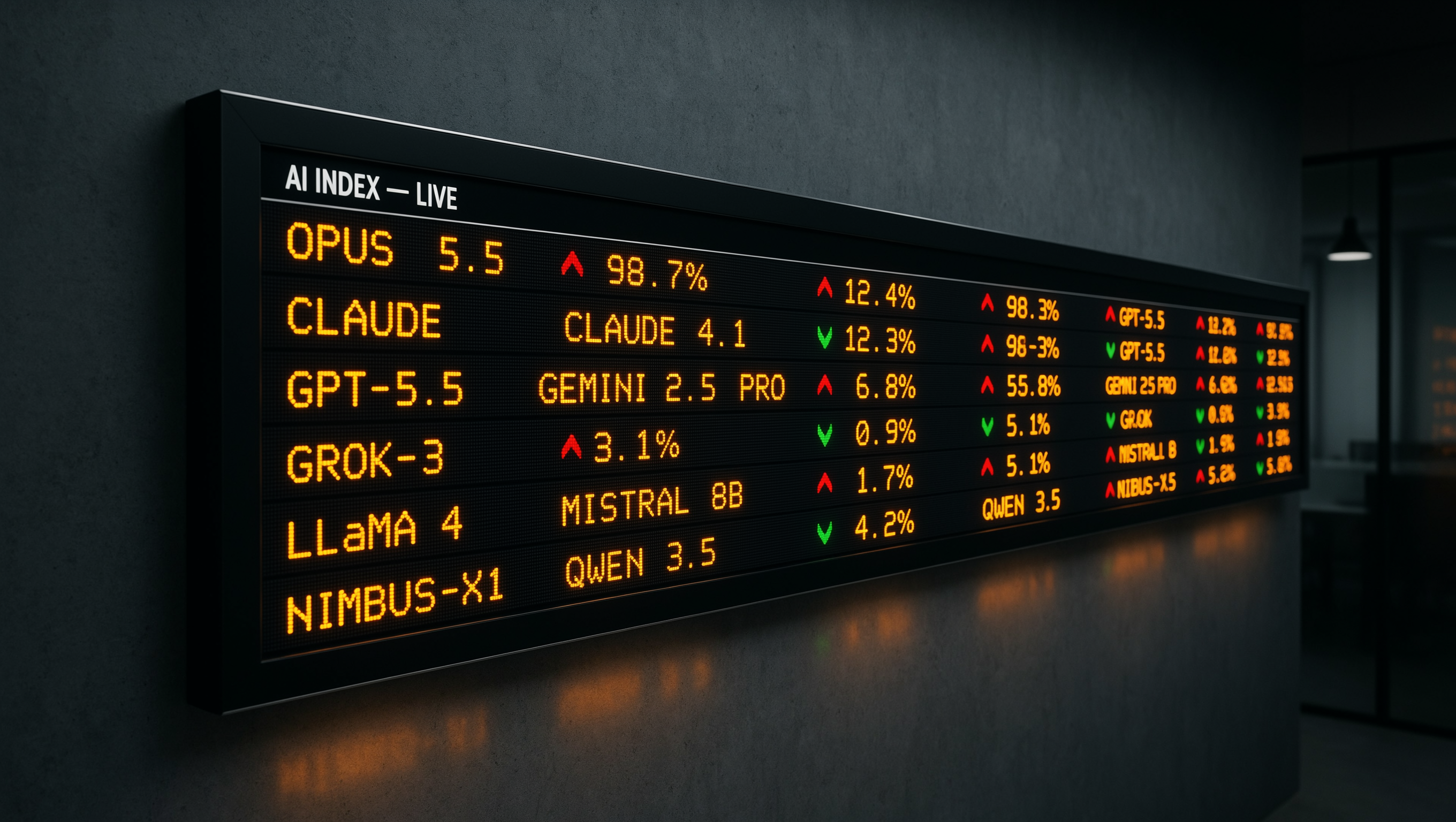
- ● Claude Opus 5.5 is the best default AI model for product work that needs judgment, including research synthesis, prioritisation and exec updates.
- ● GPT-6.2 Astra is the strongest choice for interactive prototypes, and Gemini 4 Carbon for critiquing designs from screenshots and video.
- ● Each of the twelve tasks explains when a cheaper model such as Claude Sonnet 5.5, GPT-6.2 Sol or Claude Haiku 5.5 is good enough.
- ● No AI lab leads on every task, so product teams get better results and carry less risk by staying model-agnostic.
- ● A one-hour test on ten real examples is the most reliable way to confirm these picks for your own team.
The best AI model for most product team work right now is Claude Opus 5.5, but no single model is best at everything. GPT-6.2 Astra builds the strongest prototypes, Gemini 4 Carbon gives the most useful design critique, and the cheaper Claude Sonnet 5.5 and GPT-6.2 Sol handle drafting and high-volume sorting at a fraction of the cost.
Most product teams pick a model the same way: whichever app the company pays for, set to whatever the default happens to be. That habit costs them quality on the work that matters and money on the work that does not, and it got more expensive in November, when Anthropic, OpenAI and Google each released a new top model that is better at some jobs and worse at others than the one it replaced.
This guide, updated for November 2026, covers the twelve tasks product managers, designers and researchers do most often. For each one it names the best model, explains why, gives a tip that improves the result, flags the mistake to watch for, and says when a cheaper model will do.
Quick answer: the best AI model for each product team task
| Product team task | Best AI model | Cheaper option when the stakes are lower |
|---|---|---|
| 1. Synthesising user interviews | Claude Opus 5.5 | Claude Sonnet 5.5 or GPT-6.2 Sol |
| 2. Sorting survey and feedback responses | GPT-6.2 Sol | Claude Haiku 5.5 or Gemini 4 Hydrogen |
| 3. Competitive research | Claude Opus 5.5 with web search | Claude Sonnet 5.5 or GPT-6.2 Sol |
| 4. Writing a PRD or spec | Claude Sonnet 5.5 | Claude Haiku 5.5 |
| 5. Pressure-testing a strategy or roadmap | Claude Fable 5.2 | Claude Opus 5.5 |
| 6. Prioritising and making trade-offs | Claude Opus 5.5 | Claude Sonnet 5.5 or GPT-6.2 Sol |
| 7. Building a clickable prototype or demo | GPT-6.2 Astra | GPT-6.2 Sol or Claude Sonnet 5.5 |
| 8. Critiquing designs from screenshots or video | Gemini 4 Carbon | Gemini 4 Neon or GPT-6.2 Sol |
| 9. Writing exec updates and stakeholder comms | Claude Opus 5.5 | Claude Sonnet 5.5 |
| 10. Turning meetings into decisions and actions | Claude Sonnet 5.5 | Claude Haiku 5.5 |
| 11. Answering questions from data | GPT-6.2 Sol | Claude Haiku 5.5 or Gemini 4 Hydrogen |
| 12. Release notes and customer-facing copy | Claude Sonnet 5.5 | Claude Haiku 5.5 |
Model names change several times a year. The reasoning behind each pick will hold for longer than the names will.
How each AI model was chosen, and why product teams should stay model-agnostic
The four factors behind every recommendation
Each pick in this guide weighs the same four factors.
- The cost of a mistake, and whether you would catch it. A wrong SQL query usually fails or returns an obviously odd number. A wrong theme in an interview synthesis reads perfectly well and can end up in a strategy deck. The harder a mistake is to spot, the more capable the model a task gets.
- How long the model works without you. Short tasks where you read every answer suit fast, inexpensive models. Long tasks a model runs on its own are where the most capable models earn their cost, and where their weaknesses do the most damage.
- How much of the work there is. Price barely matters for one strategy memo and matters a great deal across fifty thousand survey responses.
- The skill the task depends on most. Some tasks reward careful reasoning, some clear writing, some the ability to read images and video, and some speed. These are the areas where the current models differ most.
The evidence behind each pick comes from three sources: what the labs themselves have published, independent evaluations, and the experience of practitioners who use these models every day, including developer Theo Browne, Every's Dan Shipper, Wharton's Ethan Mollick and the analyst Zvi Mowshowitz. Where a lab's claims and practitioners' experience disagreed, this guide follows the practitioners, because they tested the models on sustained real work.
Three rules that follow from the evidence
Make Claude Opus 5.5 your default for anything that needs judgment. It is not the newest model from any lab, but it is the one experienced practitioners keep recommending for everyday work. Theo Browne, for example, advises most people to use it over Anthropic's newer Fable 5.2 because Fable is slower and more expensive in back-and-forth work.
Switch to a flagship only for your hardest problems, and stay with it while it works. Claude Fable 5.2 and GPT-6.2 Astra are the most capable models available, and early users found both slower and harder to steer on long tasks than the models below them. OpenAI's own testing found Astra skipping over a known problem twice as often as the version before it, which matters most when nobody is watching.
Use the everyday models for drafting, summarising and sorting. Claude Sonnet 5.5 and GPT-6.2 Sol cost a fraction of the flagships and do this kind of work well, because you will read and check the output anyway. For simple, repetitive work at very high volume, the smallest models, Claude Haiku 5.5 and Gemini 4 Hydrogen, cost less again.
One more rule applies to every task below: check anything that will feed a decision or reach a customer.
Why product teams should stay model-agnostic
No single AI lab leads on every product task. In this guide, Anthropic's models lead on judgment and writing, OpenAI's on prototypes and data questions, and Google's on visual critique. A team that works only in one company's app gives up the best tool for part of its work.
The best choice also changes quickly. Three new flagship models arrived in nine days in November, and each improved on some tasks while getting worse at others. OpenAI's own testing found Astra skipping known problems more often than its predecessor, and independent testing found Gemini 4 Carbon making things up more often than the Gemini model before it. A team locked to one vendor has to live with that vendor's regressions until the next release fixes them.
Access to more than one lab also gives you an inexpensive way to check important work. When models from two different companies independently reach the same conclusion about a strategy or a design, that conclusion deserves more trust than either answer on its own.
For most teams, staying model-agnostic comes down to three habits rather than paying for every app: keep your best prompts, templates and examples in your own documents rather than inside one app's project; make sure the team has approved access to at least two of Claude, ChatGPT and Gemini; and rerun a small set of test examples whenever a major model is released. Check your company's data and security policy before putting customer research into any of them.
Best AI model for each product team task, explained
1. Best AI model for synthesising user interviews: Claude Opus 5.5
Synthesis needs a model that can read many transcripts together and keep track of who said what. The main risk is a confident theme that no participant actually expressed, and it is hard to catch because the summary reads well. Opus 5.5 handles long transcripts reliably and is careful in its judgment. Gemini 4 Carbon is a weaker choice for this job, because independent testing found it inventing answers more often than its predecessor. For very large studies, step up to Claude Fable 5.2.
Tip: ask it to attach a direct quote and participant ID to every theme, and to list separately any theme that only one participant raised.
Watch for: tidy themes with no quotes behind them. If the model cannot point to who said something, treat it as the model's opinion rather than a finding.
When to use a cheaper model: summarising a single interview, or tagging notes against a coding frame you have already written, is light enough for Claude Sonnet 5.5 or GPT-6.2 Sol, because you are checking a short output against something you already know. Keep Opus 5.5 for finding themes across many interviews.
2. Best AI model for analysing survey and customer feedback: GPT-6.2 Sol
Sorting thousands of short answers into categories is a volume job. You want something fast and inexpensive, and the output is easy to spot-check. Sol is OpenAI's everyday model and handles this well at a fraction of a flagship's cost. Claude Sonnet 5.5 is an equally good choice if your team works in Claude.
Tip: write the category list yourself first, with one example answer per category, and tell it to put anything that does not fit into "other" rather than stretching a category to cover it.
Watch for: one category quietly growing too large. Read twenty responses from the biggest category before you report the numbers.
When to use a cheaper model: for tens of thousands of responses sorted against a fixed category list, a small model such as Claude Haiku 5.5 or Gemini 4 Hydrogen costs far less and handles simple labelling well. Test it first on a hundred responses you have labelled yourself, and move back up to Sol if it disagrees with you often.
3. Best AI model for competitive research: Claude Opus 5.5 with web search
Competitive research is mostly finding and comparing facts, and the danger is a believable claim with no source behind it. Opus 5.5 is careful with facts and good at comparing sources side by side. Gemini 4 Carbon is useful for exploring a market broadly, but its rising error rate means its output is better treated as a list of angles to investigate than as facts for a deck.
Tip: ask for the output as a table with a source link for every claim, plus a column marking anything it could not confirm.
Watch for: pricing and feature details, which change often and are the facts models most often get wrong. Confirm them on the competitor's own website.
When to use a cheaper model: pulling a competitor's published pricing or feature list into a table is retrieval rather than analysis, and Claude Sonnet 5.5 or GPT-6.2 Sol with web search handles it well. Use Opus 5.5 when you need the comparison interpreted, such as where a competitor is heading or why they are winning deals.
4. Best AI model for writing a PRD or product spec: Claude Sonnet 5.5
By the time you write a spec, the hard thinking should already be done. The job is turning decisions into a clear, complete document, and Sonnet 5.5 does that quickly and with good structure. If the spec still contains unresolved decisions, use Opus 5.5 instead and work through them first.
Tip: give it your team's PRD template and two strong past PRDs as examples, then paste in your notes and decisions.
Watch for: invented requirements, because models fill gaps in a template with plausible detail. Every requirement in the draft should trace back to something you told it.
When to use a cheaper model: reformatting an existing spec into a new template, or drafting acceptance criteria from a spec that is already finished, is a mechanical job that Claude Haiku 5.5 can do, provided someone reads the result.
5. Best AI model for pressure-testing a product strategy or roadmap: Claude Fable 5.2
When you ask a model to find the holes in a strategy, you want the strongest reasoner available, and you can afford to wait for it. Zvi Mowshowitz, who reviews every major release, called Fable 5.2 "the new bazooka for your hardest and most complex tasks", and a strategy you are about to commit a year to qualifies. For a decision that really matters, put the same question to GPT-6.2 Astra as well. When models from two different labs independently find the same weakness, take it seriously.
Tip: tell it the job is to name the three most likely reasons the plan fails, and that you do not want suggestions for improving it. Models default to being constructive, so a critique has to be asked for explicitly.
Watch for: a response that opens with praise, which usually means the prompt invited agreement, so ask again more bluntly.
When to use a cheaper model: for a smaller bet, such as a single feature or an experiment you can reverse, Claude Opus 5.5 gives most of the value at half the price and answers faster. Keep Fable 5.2 for decisions that are expensive to undo.
6. Best AI model for prioritising a backlog and making trade-offs: Claude Opus 5.5
The value of AI in prioritisation is the reasoning behind the ranking, because that is what you need in order to disagree with it. Opus 5.5 sets out its reasoning clearly and holds up well when you push back on it.
Tip: give it your criteria and how much each one matters, along with the constraints it cannot see in the documents, such as team capacity, promises made to customers and dependencies on other teams.
Watch for: a ranking driven by whatever is written up in the most detail. Models give extra weight to well-documented items and too little to things you mentioned in a single line.
When to use a cheaper model: scoring a backlog against a framework you have already agreed, such as RICE with your own estimates, is mostly arithmetic and sorting, which Claude Sonnet 5.5 or GPT-6.2 Sol does well. Use Opus 5.5 when the criteria themselves are still being argued over.
7. Best AI model for building a clickable prototype or demo: GPT-6.2 Astra
Reviewers consistently rate Astra's visual, 3D and interactive output as the strongest of this group. Its known weakness is long tasks it runs alone, where testers found it stopping early or skipping over problems. Prototyping is the opposite kind of work: you are in the conversation giving feedback every few minutes, which keeps it on track. For a bigger build you want to hand off and come back to later, use Claude Fable 5.2, which one tester used to build a working video editor.
Tip: before you describe the visual style, describe the user, the one task they need to finish, and what "done" looks like on screen.
Watch for: a prototype that looks finished but has dead buttons and placeholder data. Click through every path yourself before you show it to anyone.
When to use a cheaper model: a single screen, a simple form or a static mock-up is built faster and far more cheaply by GPT-6.2 Sol or Claude Sonnet 5.5. Astra earns its price on interactive prototypes with several screens or demanding visuals.
8. Best AI model for design critique from screenshots and video: Gemini 4 Carbon
Reviewers consistently rate Carbon as the strongest of these models at understanding images, video and audio, and early users praised its eye for visual detail. That makes it the best choice for reviewing screenshots, user flows and screen recordings. Gemini 4 Neon, which Google released in November at a lower price, is worth testing for the same job.
Tip: tell it who the user is and what they are trying to do on the screen, then ask what would stop them from doing it. Feedback tied to a user's goal is far more useful than general design comments.
Watch for: generic advice about spacing and contrast that would fit any screen. If the critique never mentions your user's goal, ask again.
When to use a cheaper model: a quick consistency or readability check on a single screenshot is light enough for Gemini 4 Neon or GPT-6.2 Sol. Use Carbon for whole flows, screen recordings and critique that depends on visual judgment.
9. Best AI model for writing exec updates and stakeholder communication: Claude Opus 5.5
Executive communication has to carry an argument in very few words, and the newest flagships are not the strongest writers. Dan Shipper of Every rated Fable 5.2 below the frontier for writing, and testers found GPT-6.2 Astra compressing its prose until it became hard to follow. Opus 5.5 writes clearly and keeps the argument intact.
Tip: state the decision you need from the reader at the top of your prompt, and ask it to put that decision in the first sentence of the update.
Watch for: a recap of everything that happened. Leaders want to know what changed, what it means and what you need from them, so cut anything that does not serve one of those three.
When to use a cheaper model: a routine weekly status update that follows a fixed format can go to Claude Sonnet 5.5. Keep Opus 5.5 for updates that ask for a decision, deliver bad news or need to change someone's mind.
10. Best AI model for turning meeting notes into decisions and action items: Claude Sonnet 5.5
Turning a transcript into decisions, owners and next steps is a structured job, usually done right after the meeting while people wait for it. Sonnet 5.5 is quick and accurate at it.
Tip: ask for three separate lists covering decisions made, actions with an owner and a date, and questions left open. Tell it to leave an owner blank rather than guess one.
Watch for: "decisions" that were only discussed. Models often record a suggestion as if it had been agreed, so check the decisions list with someone who was in the room.
When to use a cheaper model: short recurring meetings such as stand-ups are light enough for Claude Haiku 5.5 to pull out blockers and actions. Stay with Sonnet 5.5 for long or contentious meetings where it matters exactly who agreed to what.
11. Best AI model for SQL queries and answering questions from data: GPT-6.2 Sol
Writing a SQL query or a spreadsheet formula is a fast job with an answer you can check immediately, which suits OpenAI's quick, inexpensive everyday model. Deciding what a metric should measure in the first place is a different job, and belongs with Claude Opus 5.5, because a badly defined metric can mislead a team for years.
Tip: paste in the table structure and a few example rows, and ask it to explain in plain words what the query does before you run it.
Watch for: a query that runs without errors and answers a slightly different question from the one you asked. Check one number by hand.
When to use a cheaper model: simple lookups and single-table spreadsheet formulas can go to Claude Haiku 5.5 or Gemini 4 Hydrogen. Use Sol when a query joins several tables or the logic is easy to get subtly wrong.
12. Best AI model for release notes and customer-facing copy: Claude Sonnet 5.5
Customer-facing writing needs to be clear and plain, and a person reviews every word before it ships. Sonnet 5.5 produces clean copy that needs little editing.
Tip: give it two of your best past release notes as examples, plus a short list of words your brand never uses.
Watch for: marketing language creeping in. Words like "seamless" and "powerful" tell a customer nothing, so ask instead for what the change lets them do.
When to use a cheaper model: short, templated text such as tooltips, error messages or variations on copy that is already approved is light enough for Claude Haiku 5.5, as long as someone reviews it. Keep Sonnet 5.5 for release notes that have to explain a change.
Frequently asked questions about choosing an AI model for product work
Which AI model is best for product managers?
Claude Opus 5.5 is the best default for the judgment-heavy work product managers do, including research synthesis, prioritisation and writing for executives. For drafting specs, summarising meetings and sorting feedback, the cheaper Claude Sonnet 5.5 or GPT-6.2 Sol is enough.
Is ChatGPT, Claude or Gemini better for product teams?
None of the three is best at every task. In this guide, Claude leads on research synthesis, prioritisation and writing, ChatGPT's GPT-6.2 models lead on prototypes and data questions, and Gemini 4 Carbon leads on design critique. Most product teams benefit from approved access to at least two of them.
Should product teams always use the newest AI model?
The newest flagships, Claude Fable 5.2 and GPT-6.2 Astra, are worth their cost for a small number of hard tasks, such as pressure-testing a strategy or building an ambitious prototype. Early users found both slower, more expensive and harder to steer in everyday work, so Claude Opus 5.5 or a cheaper everyday model is better value for most tasks.
What is the best AI model for UX research synthesis?
Claude Opus 5.5 is the best choice for synthesising user interviews, with Claude Fable 5.2 for very large studies. Ask it to attach a participant quote to every theme so you can see what each finding rests on.
How often should a product team re-evaluate its AI models?
Re-evaluate whenever a major model is released, which currently happens every few weeks, and at least once a quarter. Rerunning the same ten real examples takes about an hour and shows whether a switch is worth making.
How to test which AI model works best for your team
These recommendations are a starting point, drawn from published testing and the reviews of people who use these models every day. They are not a measurement of your team's work, and your results may differ.
The quickest way to find out is to choose one task you do every week and pull ten real examples where you already know what a good result looks like. Run them through two models and compare the outputs side by side. It takes about an hour and will tell you more than any review, including this one.
New models now arrive every few weeks. When the next one launches, run the same ten examples through it before you switch, rather than switching because of the announcement.
The teams getting the most from AI match the model to the job in front of them and check its work, whatever was released last week. If you want help setting that up for your team, it is work we do at PH1.
How helpful was this article?
Share this article
COO, PH1 · CEO, AI Value Acceleration · Co-host, Product Impact Podcast
Latest Episodes ›
All episodes
New Report Says You're Wasting More Time Botsitting Than Getting Value from AI

97% of Executives Deployed AI Agents. Only 29% See ROI. The Gap Is the Story of 2026.

How to Measure AI Product Impact: The Bullseye Framework for Power, Speed, Impact, and Joy
The UX Researcher's Guide to Claude, Claude Cowork, and Claude Code

WTF is an AI-native org anyways? Let's compare Airbnb & Meta's opposing plans.

Future of UX Research: Guide for How UX Researchers Can Protect Their Jobs & Careers
Product Impact Newsletter
AI product strategy delivered weekly. Free.